
Opera
Windows (Opera website)
Download the installer from opera.com and run itmacOS (Opera website)
Download the .dmg from opera.com and drag Opera to ApplicationsLinux (AppImage)
Download the .AppImage from opera.com, make it executable, and run itLinux (apt)
Add the Opera repository (see opera.com/linux) and run apt install opera-stableAbout Opera
Opera is a web browser developed by Opera Limited, a publicly traded company headquartered in Oslo, Norway (NASDAQ: OPRA). Kunlun Tech, a Chinese technology company, is the controlling shareholder with roughly 70% of voting power. Unlike Firefox, Opera is built on the Chromium engine (the same engine that powers Google Chrome and Microsoft Edge), meaning it shares Chromium's rendering engine and extensions ecosystem while offering its own set of differentiating features.
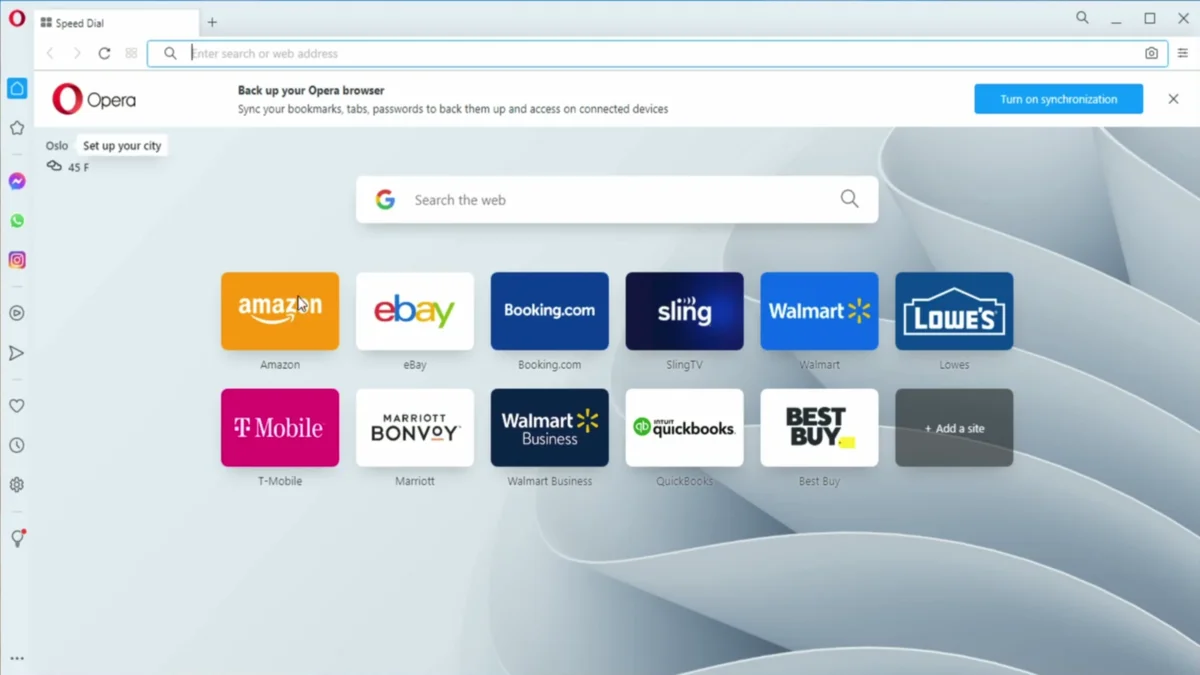
Opera differentiates itself with several built-in tools that many competitors leave as third-party add-ons: a free, built-in ad blocker; a built-in VPN (no separate signup required, with unlimited data for free users); a collapsible sidebar with integrations for popular messengers such as WhatsApp, Telegram, Facebook Messenger, and Discord; and a Battery Saver mode that can extend laptop battery life by limiting background activity. Opera also includes a built-in news aggregator and cryptocurrency wallet, though both can be disabled.
System requirements
Opera supports Windows 10 or later, macOS (10.15 or later), and most modern 64-bit Linux distributions. It runs on 32-bit and 64-bit x86 platforms; however, a 64-bit operating system is recommended for optimal performance. At least 1 GB of RAM and 1 GB of free disk space are recommended.
Installing Opera
Installation differs by platform — see the install methods above for the most common paths. For a full, verified, step-by-step walkthrough on Windows 10 specifically, including what to expect during install and how to skip the first-run setup screens, see the linked tutorial below.