Ventoy

boot-toolGPL-3.0windowslinuxSystems & Environment
WebsiteGitHub

What is Ventoy?

Ventoy is a free, open-source tool for creating bootable USB drives from ISO, WIM, IMG, VHD(x) and EFI files. Instead of writing one image to the drive every time, you install Ventoy to the drive once. After that you copy image files onto the drive like ordinary files, and Ventoy shows a boot menu listing every image it finds.

That makes one USB drive (or one external SSD or NVMe drive) a toolbox that can hold Windows installers, Linux distributions, rescue tools, antivirus boot disks, disk cloning software and more, all at the same time.

How Ventoy works

  1. Install Ventoy to the drive once. You run the Ventoy installer (Ventoy2Disk) and pick your drive. By default this formats the drive and erases everything on it, so back up anything you need first.
  2. Copy your ISO files onto the drive. After installation the drive has two partitions: a large first partition (exFAT by default) that holds your files, and a second, small boot partition. You just drag and drop ISO files onto the large partition. There is no flashing, no wiping and no extracting.
  3. Boot from the drive. Ventoy intercepts the boot process and shows a menu listing every image on the drive. Use the arrow keys to pick one and press Enter.

Key features

  • Open source: Ventoy's own code is released under the GPL (v3 or later), and bundled components keep their own licenses.
  • Boots ISO, WIM, IMG, VHD(x) and EFI files directly, with no extraction.
  • Works with legacy BIOS and UEFI, and with both MBR and GPT drives.
  • IA32 and x86_64 UEFI Secure Boot supported (it may need setup; see the FAQ).
  • Supports ISO files larger than 4 GB.
  • Can be installed on USB drives, local disks, SSDs, NVMe drives and SD cards.
  • Over 1,300 ISO files have been tested, and the project reports that more than 90% of the distributions on DistroWatch are supported.
  • Updating Ventoy keeps your existing data, and you do not need to update Ventoy when a new distro is released.
  • Plugins for persistence on Linux live systems, automatic installation, themes and menu customization.

What you can put on a Ventoy drive

The Ventoy project lists tested support for a wide range of systems, including:

  • Windows: Windows 7, 8, 8.1, 10 and 11, Windows Server, and WinPE.
  • Linux: Debian, Ubuntu, Fedora, Linux Mint, Arch, Manjaro, Kali, openSUSE, NixOS, Zorin and many more.
  • Unix and BSD: FreeBSD, pfSense, OPNsense, TrueNAS and others.
  • Virtualization and other tools: VMware ESXi, Citrix XenServer and XCP-ng, plus tools such as Clonezilla, which is shown booting in the video.

The full, current list is on the official tested ISO list.

Why use Ventoy instead of re-flashing?

With a typical flash tool you write one image to the drive, so one USB drive holds one operating system, and trying a different distro means wiping the drive and starting again. With Ventoy you format once and then simply copy more ISO files onto the drive. In the video above the whole idea is "one USB, every ISO".

Run Ventoy on an external NVMe drive

Ventoy works on a regular flash drive, but if you want the biggest and fastest toolkit you can install it on an external NVMe SSD in a USB enclosure. You get far more room for ISO files, and in my testing in the video copying ISOs to an NVMe drive is much faster than to a basic flash drive. Two guides on this site cover it:

Install guides

The installation steps depend on the operating system you are using. These step-by-step guides are on the site now:

Video chapters

  • 0:00 The USB drive graveyard
  • 0:10 The old way sucks
  • 0:30 Enter Ventoy
  • 0:50 How Ventoy works
  • 1:14 The boot menu
  • 1:49 How to install it (pick your distro)
  • 2:23 Bonus: run Ventoy on an external NVMe drive

Official resources

FAQ

By default, yes. Ventoy formats the drive when you install it and all data on it is lost, so back up anything you need first. Ventoy's documentation also describes an experimental non-destructive installation for Windows that only works if the drive meets several requirements; see the Ventoy non-destructive installation page. Updating Ventoy later does not erase your ISO files or other data.
Yes. After installation the first (large) partition is a normal exFAT partition, so you can store any files on it next to your ISO files. Ventoy's boot menu is not affected.
No. Ventoy boots the ISO file directly, so you just copy the new ISO onto the drive. The Ventoy project lists this as a feature.
Ventoy supports legacy BIOS and UEFI (x86 and ARM64) and both MBR and GPT drives. It can also boot with Secure Boot enabled on x86_64 and IA32 UEFI, but that may need some setup: Ventoy2Disk has a Secure Boot Support option (the Linux script uses -s), the first boot shows a screen where you enroll Ventoy's key, and some computers need the Allow Microsoft 3rd Party UEFI CA option turned on in the firmware. Ventoy's documentation says it does not work on every machine; if it does not, turn Secure Boot off in the BIOS. See the Ventoy Secure Boot page for the details.
Yes. The main data partition is exFAT by default, which has no 4 GB file limit, and Ventoy supports ISO files larger than 4 GB.
Yes. Ventoy can be installed on a USB drive, a local disk, an SSD, an NVMe drive or an SD card. An external NVMe drive gives you much more storage and faster copies; see the NVMe tutorial.

Products used

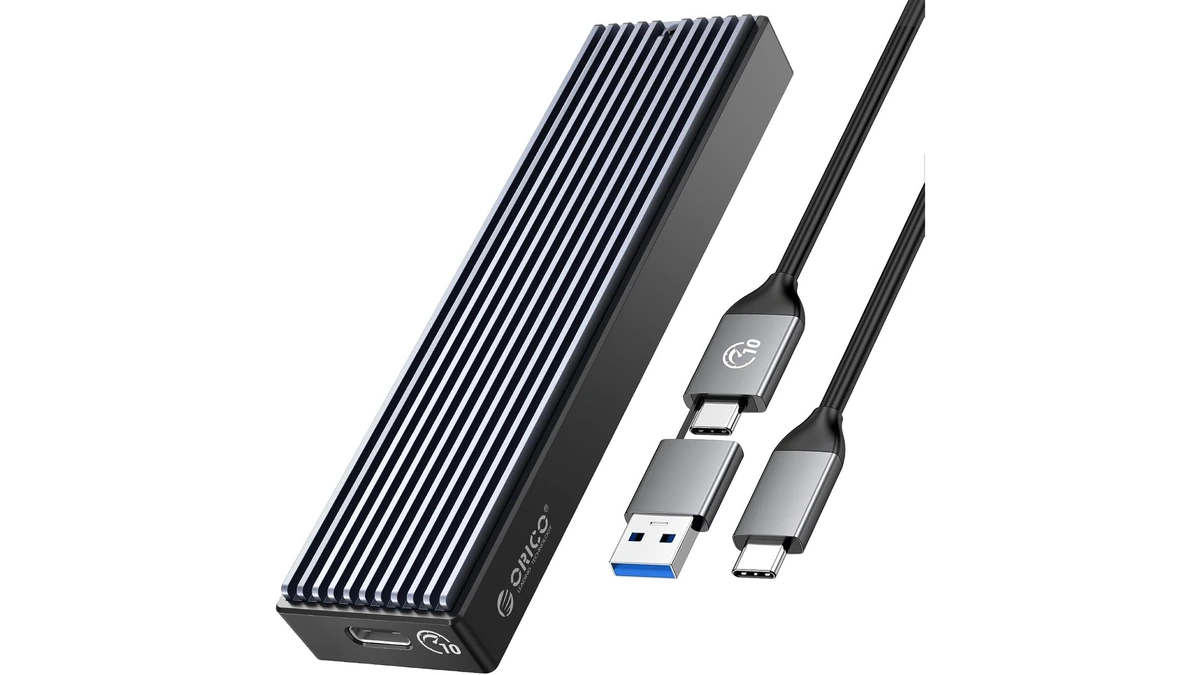
ORICO M.2 NVMe SSD Enclosure (10Gbps)
storage

ORICO M.2 NVMe SSD Enclosure (10Gbps)

ORICO USB 3.1 Gen 2 (10Gbps) M.2 NVMe SSD enclosure supporting 2230/2242/2260/2280 form factors up to 8TB, with UASP support for fast external drive performance.

3 retailers

fanxiang S880R 1TB PCIe 4.0 NVMe SSD
storage

fanxiang S880R 1TB PCIe 4.0 NVMe SSD

fanxiang S880R 1TB PCIe 4.0 NVMe M.2 SSD with built-in heatsink — up to 7300MB/s reads and 3D TLC NAND for high-performance desktop and console storage.
2 retailers
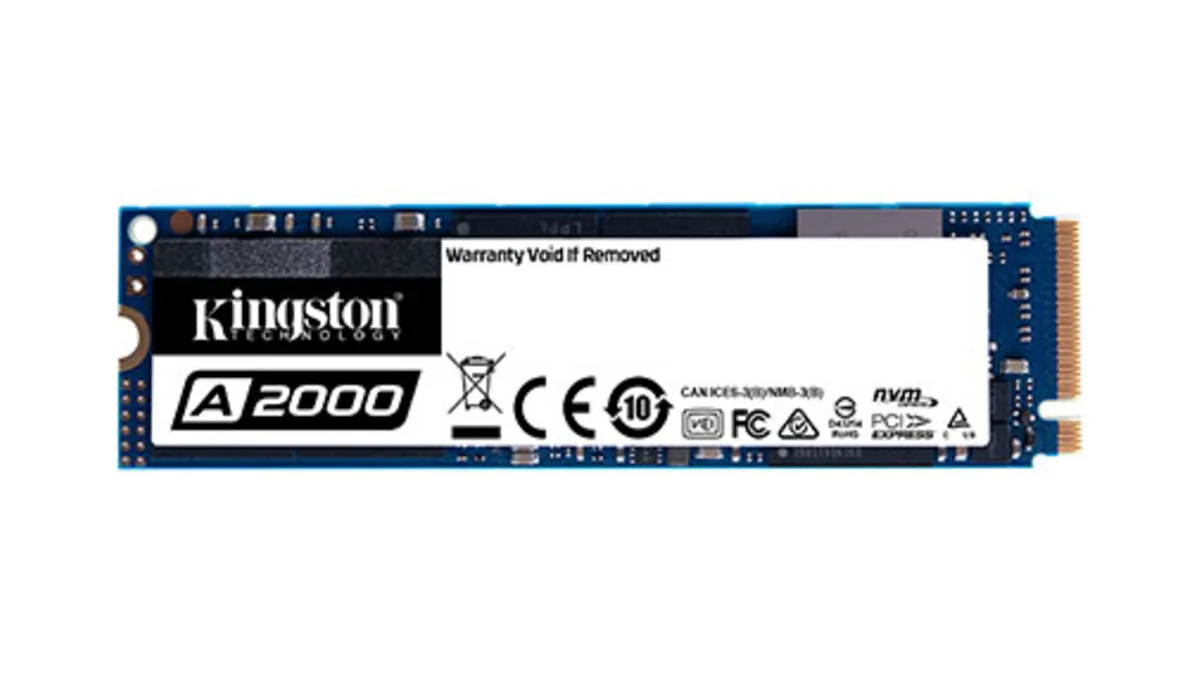
Kingston A2000 1TB NVMe SSD
storage

Kingston A2000 1TB NVMe SSD

Kingston A2000 1TB PCIe 3.0 x4 NVMe M.2 SSD - reliable budget-friendly storage for everyday computing on desktops and laptops with fast sequential performance

2 retailers